
REVOPOINT / How-to & tips
A plain housing or smooth panel may offer very little distinctive geometry for a scanner to recognise. Markers provide a visible reference pattern when you use a mode designed for marker tracking.
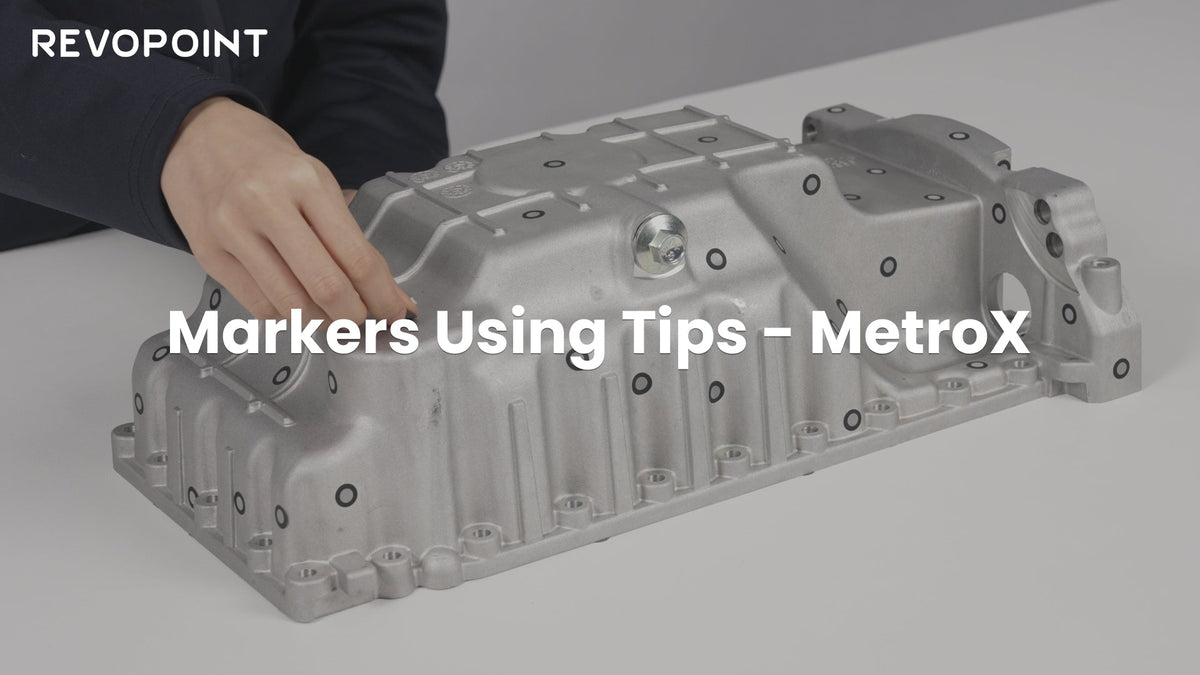
Revopoint uses MetroX to explain marker placement and marker blocks. Good preparation is about visibility, pattern and stability, not covering every available surface with dots. Check the requirements for your selected mode before starting.
Cover: Supplier introduction to marker-supported scanning with MetroX.
1. Plan what the scanner will see
Look at the object from the positions you intend to scan. Large blank areas, shallow curves and repeated shapes may need a more useful tracking reference. Identify those sections before placing targets, particularly where the view changes around an edge.
Think in terms of the scanner's current field of view, not the total number of markers on the object. A large collection on the far side cannot help if none are visible where you are scanning. Follow the current instructions for marker size and visible target count.
2. Use distinctive patterns and firm attachment

Arrange markers irregularly rather than in neat repeating rows. Spread them so neighbouring scan areas share recognisable targets. Add useful coverage near changes in direction, but keep important holes, edges and measurement surfaces accessible.
Apply markers flat to suitable clean surfaces. Avoid bending one around a tight curve, leaving an edge lifted or reusing a target that no longer sticks securely. A marker that moves during capture changes the reference the scanner is trying to follow.
3. Move targets off the part when necessary

A small component may not have enough free surface for suitable markers. In that case, consider a compatible marked turntable, marker blocks or targets on a surrounding support, following the manufacturer's setup guidance.
The part and its reference arrangement must remain fixed relative to one another throughout that capture. Confirm that blocks cannot be nudged, that the rotating setup stays secure and that the targets remain visible from the required angles. Moving the part independently breaks that relationship.
4. Test continuity before the full scan
Avoid direct sunlight in the marker setup and check for obscured or poorly seated targets. Run a short pass across your most difficult transition. If tracking drops as you round an edge, improve visible coverage there before recording the whole object.
After capture, inspect for misalignment and remove unwanted support data carefully. Markers support position tracking; they do not make every surface optically easy to capture. Reflective or transparent areas may still require a mode-appropriate preparation method and another view.
Build your REVOPOINT workflow with Creality AU
Save a photo of a successful arrangement alongside your scan project when repeating the job. View the REVOPOINT MetroX and confirm the required marker and accessory compatibility for your intended capture mode.
View products and package optionsImages supplied by Revopoint and reproduced with permission. Supplier and community examples are not independent tests by Creality AU. Back to Guides & News