
REVOPOINT / Applications & case studies
Designing a mount around existing equipment begins with understanding the equipment's physical form. A digital reference can help bring that shape into the design discussion without suggesting that the scanner makes the entire system.
In an October 2024 supplier case, Revopoint credits Daniele Pulimeno with using the original MIRACO to support a robot radio mounting project. The account places captured geometry within the wider design process.
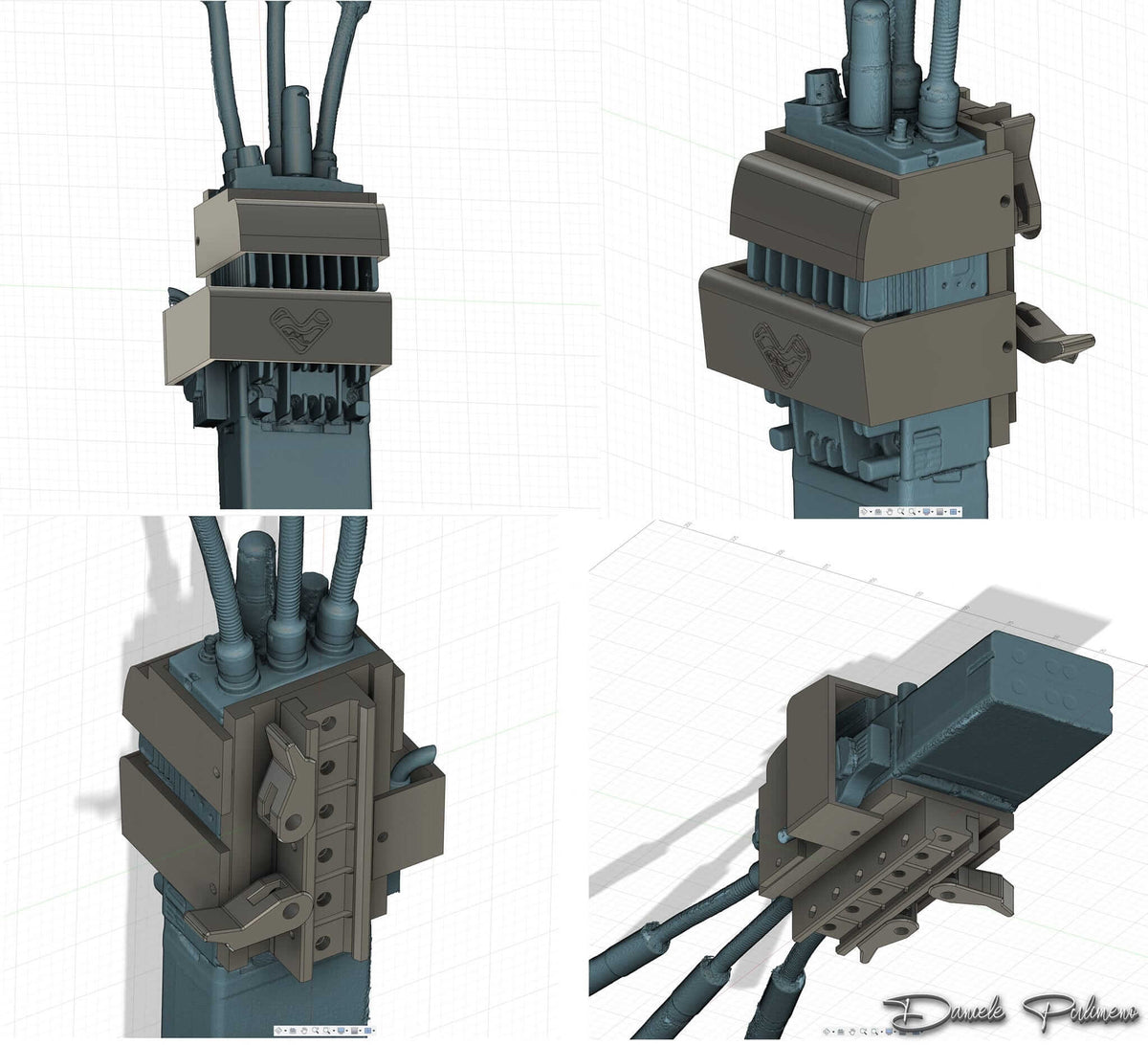
Featured image: Digital mounting arrangement around radio equipment. Image credit: Daniele Pulimeno, via Revopoint.
1. Capture the equipment that the mount must accommodate
The reported task was developing the radio mounting system. Pulimeno used MIRACO to obtain three-dimensional reference data for that planning and design work, with post-processing forming part of the supplier's account.
The role of scanning is to record an existing item that the mounting design needs to accommodate. The source does not name a particular robot model or provide a detailed software recipe.
2. Read the design and installation images together

The supplied illustrations include a digital mounting arrangement around the radio and a photograph of radio equipment on a robot platform. These provide context for the project beyond a stand-alone scan.
They do not, however, establish a dimensional acceptance result or a certified operational test. Revopoint reports the project's completion, but the published account does not detail validation conditions. Its supported lesson is the use of captured geometry within a mounting-design task, not guaranteed robotic-system reliability.
3. Keep the next design questions separate
For a similar project of your own, first identify which surfaces the mount must locate against and what access the equipment needs. Then decide how the physical arrangement will be checked. These are planning questions for the reader, not additional steps claimed for Pulimeno's project.
Keep a useful geometric reference distinct from evidence that a finished assembly meets its requirements. The case does not supply quantified time savings, durability results or safety certification, and no such outcome should be inferred from its images.
Build your REVOPOINT workflow with Creality AU
Explore REVOPOINT MIRACO for the model family behind this example. Treat capture as support for the design process, alongside the checks required for the finished mounting arrangement.
View product and package optionsTechnical references
Images supplied by Revopoint and reproduced with permission. Project photographs and creator accounts are supplier-shared examples, not independent tests by Creality AU. Confirm the exact model and package for your own setup.