
REVOPOINT / Product guides
A scanner's technology describes how it observes a surface; a scanning mode describes how you apply its available capture tools. Neither label alone tells you whether a particular object will scan well.
Revopoint's educational material covers patterned-light and multi-line laser approaches alongside Metro mode selection. Use the principles below to plan a test, then check the exact model's available modes and requirements before capture.
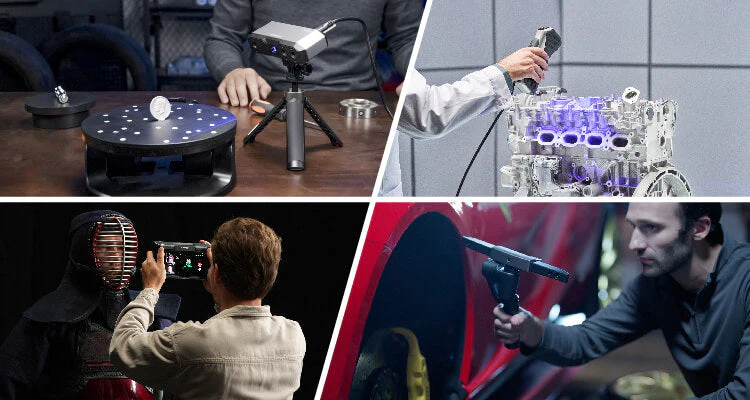
Cover: Supplier illustration introducing patterned-light surface capture.
1. Understand what the scanner is observing

A structured-light approach projects a pattern onto a surface and observes how the pattern changes with shape. The captured information contributes to a point cloud, which can later be processed into a mesh representing the visible surface.
A multi-line laser approach projects several laser lines for surface capture. In both cases, the object must return usable light to the cameras. The technology name does not make an unseen recess visible or guarantee successful capture of every transparent, reflective or dark material.
2. Match the available mode to the geometry
Where offered, cross-line modes support broad surface capture, while parallel-line or single-line approaches can suit more concentrated detail or restricted regions. The practical choice depends on the actual part, required features and the modes present on that scanner.
Do not copy a mode list from a neighbouring product name. MetroX, MetroX Pro, MetroY and MetroY Pro are distinct configurations. In particular, a full-field or automated-turntable workflow demonstrated on a Pro configuration must not be assumed available on the base MetroY.
3. Treat tracking and surface response separately
Tracking references help the system determine position, while surface preparation helps it collect usable geometric data. A stable marker pattern cannot force light to return from an unsuitable material, and a well-coated surface can still lack useful tracking references.
Check the prescribed marker requirements for the chosen laser mode. For a feature-based workflow, keep recognisable geometry and overlap in view. Test an awkward transition before the full scan, and inspect the point cloud rather than judging only the apparent brightness of the surface.
4. Make safety and final checking model-specific
Follow the safety instructions for the exact light source and mode. Structured light is not a universal synonym for infrared or permission to scan faces, and laser modes must not be treated as interchangeable with person-scanning workflows.
After a trial, check feature coverage, alignment and scale. Select point spacing that serves the intended task without confusing density with accuracy. Preserve the source data before smoothing or repair, then verify the exported model in the application that will use it.
Build your REVOPOINT workflow with Creality AU
Choose a mode through evidence from the object, not a headline specification. Explore MetroX and MetroY, and confirm the complete model-specific capture workflow before purchase or use.
View products and package optionsImages supplied by Revopoint and reproduced with permission. Supplier and community examples are not independent tests by Creality AU. Back to Guides & News